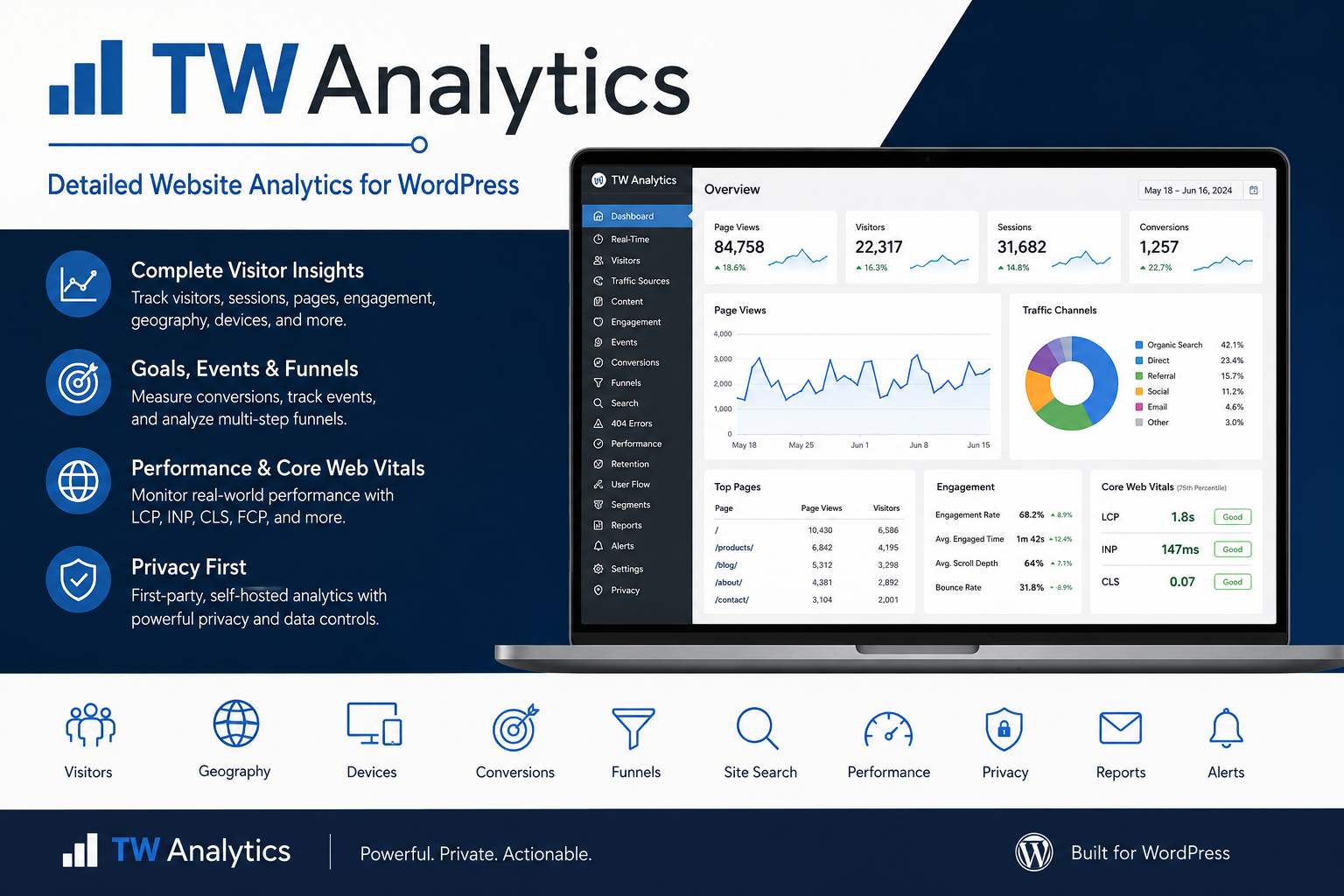
Detailed Website Analytics. Your Data. Your Website.
TW Analytics is a powerful, self-hosted WordPress analytics solution from Thinker Works that gives you detailed insight into how visitors find, use, and interact with your website.
Track page views, visitors, sessions, browsers, devices, countries, states and provinces, traffic sources, conversions, engagement, site performance, visitor flow, retention, and much more—all from a graphical dashboard inside WordPress.
Understand your visitors without giving control of your analytics data to a third-party platform.
[Get TW Analytics]
[View Features]
Know What Is Happening on Your Website
Basic visitor counters only tell you how many people arrived.
TW Analytics helps answer the questions that matter:
- Which pages receive the most traffic?
- Where are visitors coming from?
- What countries, states, and provinces are they visiting from?
- Which browsers, operating systems, and devices are they using?
- Which pages keep visitors engaged?
- Where do visitors enter and leave?
- Which paths do visitors follow through your site?
- Which campaigns generate conversions?
- Which searches return no results?
- Which pages generate 404 errors?
- How quickly are your pages loading?
- Are traffic or conversion levels changing unexpectedly?
- Which visitors return over time?
TW Analytics brings these answers together in one WordPress administration interface.
A Complete Analytics Dashboard
TW Analytics provides graphical reports designed to make site performance understandable at a glance.
Monitor:
- Page views
- Unique visitors
- Sessions
- New visitors
- Returning visitors
- Active visitors
- Pages per session
- Bounce rate
- Engagement rate
- Average engaged time
- Scroll depth
- Conversion rate
- Conversion value
Choose reporting periods ranging from today through the previous year and drill down into individual pages, visitors, acquisition channels, events, and conversions.
Real-Time Visitor Analytics
See what is happening on your website right now.
The Real-Time dashboard shows:
- Active visitors
- Active sessions
- Recent page activity
- Current pages
- Visitor locations
- Browsers
- Devices
- Traffic sources
Configurable activity windows allow you to determine what TW Analytics considers an active visitor.
Geographic Analytics
Understand where your audience is located.
TW Analytics can report visitors by:
- Country
- State
- Province
- Region
- City
Geographic information can be collected while still allowing administrators to minimize or completely disable storage of IP-derived identifiers.
Browser, Device, and Technology Reports
Learn how visitors access your site.
Analyze:
- Browser
- Browser version
- Operating system
- Desktop devices
- Mobile devices
- Tablets
- Screen resolution
- Visitor language
Use these reports to identify compatibility issues and make better design decisions.
Traffic Sources and Campaign Tracking
See exactly how visitors discover your website.
TW Analytics classifies traffic into channels including:
- Direct
- Organic Search
- Paid Search
- Organic Social
- Paid Social
- Affiliate
- Display
- Referral
- Campaign
- Internal
Complete UTM campaign tracking includes:
- Source
- Medium
- Campaign
- Term
- Content
Measure campaign traffic and follow it through to conversions.
Goals and Conversion Tracking
Traffic matters more when it produces results.
Create conversion goals based on:
- Page visits
- Events
- Exact matches
- Contains rules
- Starts-with rules
Choose whether a conversion should count once per session or every time it occurs.
Goals can also include an optional monetary or business value, allowing TW Analytics to report:
- Total conversions
- Conversion rate
- Conversion value
- Conversion channel
- Campaign attribution
Event Tracking
Automatically capture important visitor interactions.
TW Analytics can track:
- Outbound link clicks
- File downloads
- Custom events
Developers can also create their own events using the TW Analytics JavaScript API.
This makes it possible to measure actions such as:
- Form starts
- Form completions
- Button clicks
- Product interactions
- Membership actions
- Video interactions
- Custom application activity
Conversion Funnels
See exactly where visitors leave a multi-step process.
Create funnels containing page views, events, or a combination of both.
Funnels can show:
- Visitors entering each step
- Step-to-step conversion rate
- Overall completion rate
- Drop-off totals
Funnels are useful for analyzing:
- Checkout processes
- Registrations
- Membership signups
- Contact forms
- Lead generation
- Course enrollment
- Multi-page workflows
Visitor Flow and Path Analysis
Understand how people actually move through your website.
TW Analytics reconstructs ordered session journeys and reports:
- Entry pages
- Exit pages
- Page-to-page transitions
- Common visitor journeys
- Average path depth
- Maximum path depth
- Multi-page session rate
The Path Explorer lets you select a specific page and see where visitors commonly go next.
Content Engagement Analytics
Page views alone do not tell you whether visitors are actually reading your content.
TW Analytics measures:
- Active engagement time
- Maximum scroll depth
- Engaged views
- Deep-scroll rate
- Engagement rate
Scroll-depth reporting includes:
- 0–24{a172b5cd1bb4975ccb89fe7254d7f9e347120fd281e3135eac4f3d1293c97987}
- 25–49{a172b5cd1bb4975ccb89fe7254d7f9e347120fd281e3135eac4f3d1293c97987}
- 50–74{a172b5cd1bb4975ccb89fe7254d7f9e347120fd281e3135eac4f3d1293c97987}
- 75–89{a172b5cd1bb4975ccb89fe7254d7f9e347120fd281e3135eac4f3d1293c97987}
- 90–100{a172b5cd1bb4975ccb89fe7254d7f9e347120fd281e3135eac4f3d1293c97987}
Engagement thresholds can be configured to match the needs of your website.
Content Performance
Compare performance across different types of WordPress content.
TW Analytics recognizes:
- Posts
- Pages
- Custom post types
- Categories
- Taxonomies
- Front page
- Blog index
- Archives
- Search pages
- 404 pages
Content groups make it easier to compare sections of large websites.
Internal Search Analytics
Find out what visitors are looking for.
TW Analytics automatically records WordPress site searches and reports:
- Search terms
- Search frequency
- Visitors
- Sessions
- Number of results
- Average result count
- Zero-result searches
Zero-result reporting can reveal content visitors expect to find but your website does not currently provide.
404 Error Analytics
Broken and outdated links can cost traffic and conversions.
TW Analytics records:
- Missing URLs
- Number of 404 hits
- Visitors
- Sessions
- Referring pages
- Most recent occurrence
Use this information to create redirects, repair links, and recover lost traffic.
Website Performance and Core Web Vitals
TW Analytics includes first-party Real User Monitoring.
Measure actual visitor experiences using:
- Largest Contentful Paint — LCP
- Interaction to Next Paint — INP
- Cumulative Layout Shift — CLS
- First Contentful Paint — FCP
- Time to First Byte — TTFB
- DOM-ready time
- Full page-load time
Performance can be analyzed by page and device type.
Visitor Retention
Learn whether visitors come back.
Retention reporting includes:
- New visitors
- Returning visitors
- Return rate
- Sessions per visitor
- Visitor frequency
- Weekly retention cohorts
Cohort analysis shows how effectively your website retains audiences after their initial visit.
Audience Segmentation
Not every visitor behaves the same way.
Create reusable audience segments based on criteria such as:
- Geography
- Browser
- Operating system
- Device
- Language
- Acquisition channel
- Referrer
- UTM campaign
- Content type
- Content group
- Visited pages
Compare multiple segments against all website traffic to identify meaningful differences in engagement and conversions.
Traffic Anomaly Detection
TW Analytics can automatically identify unusual changes in:
- Page views
- Visitors
- Sessions
- Conversions
Traffic is compared with previous matching weekdays so normal differences between weekdays and weekends are less likely to create false alerts.
Configurable sensitivity and minimum-volume settings let administrators control how aggressively anomalies are detected.
Traffic Diagnostics
TW Analytics can highlight sessions that deserve additional review, including:
- Extremely high page volume
- Very rapid navigation
- High activity with no measured engagement
- Detected crawler or bot activity
Diagnostic indicators are presented for investigation rather than automatically assuming every unusual visitor is malicious.
Custom Analytics Dashboards
Every website has different priorities.
Create a dashboard using the reports that matter most to you, including:
- Traffic
- Top pages
- Acquisition
- Geography
- Devices
- Conversions
- Engagement
- Events
- Core Web Vitals
Your custom dashboard configuration can also be used to control the content included in scheduled reports.
Analytics Alerts
Do not wait until you manually open the dashboard to discover an important change.
Create alert rules for:
- Page views
- Visitors
- Sessions
- Conversions
- Conversion rate
- Bounce rate
Alerts can detect:
- Metrics above a threshold
- Metrics below a threshold
- Percentage increases
- Percentage decreases
Choose monitoring windows ranging from one hour to seven days and configure email recipients and cooldown periods.
Scheduled Analytics Reports
Receive analytics summaries automatically.
Schedule reports:
- Daily
- Weekly
- Monthly
Reports can include:
- Traffic
- Visitors
- Sessions
- Engagement
- Conversions
- Top pages
- Acquisition channels
- Countries
- Period-over-period comparisons
Administrators can also send a report immediately for testing.
Shareable Report Snapshots
Capture analytics at a specific point in time and share the results without giving someone access to WordPress administration.
Snapshots can include aggregate:
- Traffic
- Pages
- Acquisition
- Countries
- Devices
- Conversions
Reports can be exported as CSV or JSON.
Optional public report links use secure tokens and can automatically expire after a selected period.
Visitor IDs, session IDs, account IDs, IP hashes, user agents, and individual visitor histories are excluded from public snapshot reports.
Privacy and Data Governance
TW Analytics is designed to give site owners more control over their analytics data.
Privacy controls include:
- Explicit analytics-consent mode
- Visitor opt-out
- Global Privacy Control support
- Do Not Track support
- Configurable consent retention
- Salted one-way IP hashing
- Option to store no IP-derived identifier
- Configurable full user-agent storage
- Optional WordPress-user linking
- Historical-data minimization
- Visitor data lookup
- Selective analytics deletion
- Privacy action logging
TW Analytics also integrates with WordPress’s personal-data export, erasure, and Privacy Policy tools.
First-Party, Self-Hosted Analytics
Your website activity is stored in your WordPress environment instead of requiring an external analytics account for core reporting.
This provides greater control over:
- Data retention
- Data deletion
- Privacy settings
- Visitor identification
- Reporting
- Historical records
- Analytics configuration
TW Analytics can even operate in local WordPress development environments.
Built for WordPress
TW Analytics installs as a standard standalone WordPress plugin.
It does not require TW Core or another Thinker Works plugin to provide its primary analytics functionality.
The plugin is designed for:
- Business websites
- Blogs
- Membership sites
- Educational sites
- Publishers
- Community websites
- E-commerce projects
- Developers
- Agencies
- Client-managed WordPress sites
Turn Website Traffic Into Useful Information
Knowing that someone visited your website is only the beginning.
TW Analytics helps you understand:
Who visited.
Where they came from.
What they viewed.
What they searched for.
How they interacted.
How your pages performed.
Where they left.
Whether they returned.
And whether those visits produced results.
Get the information you need to improve your website while maintaining control of your analytics data.
TW Analytics
Detailed WordPress analytics from Thinker Works.