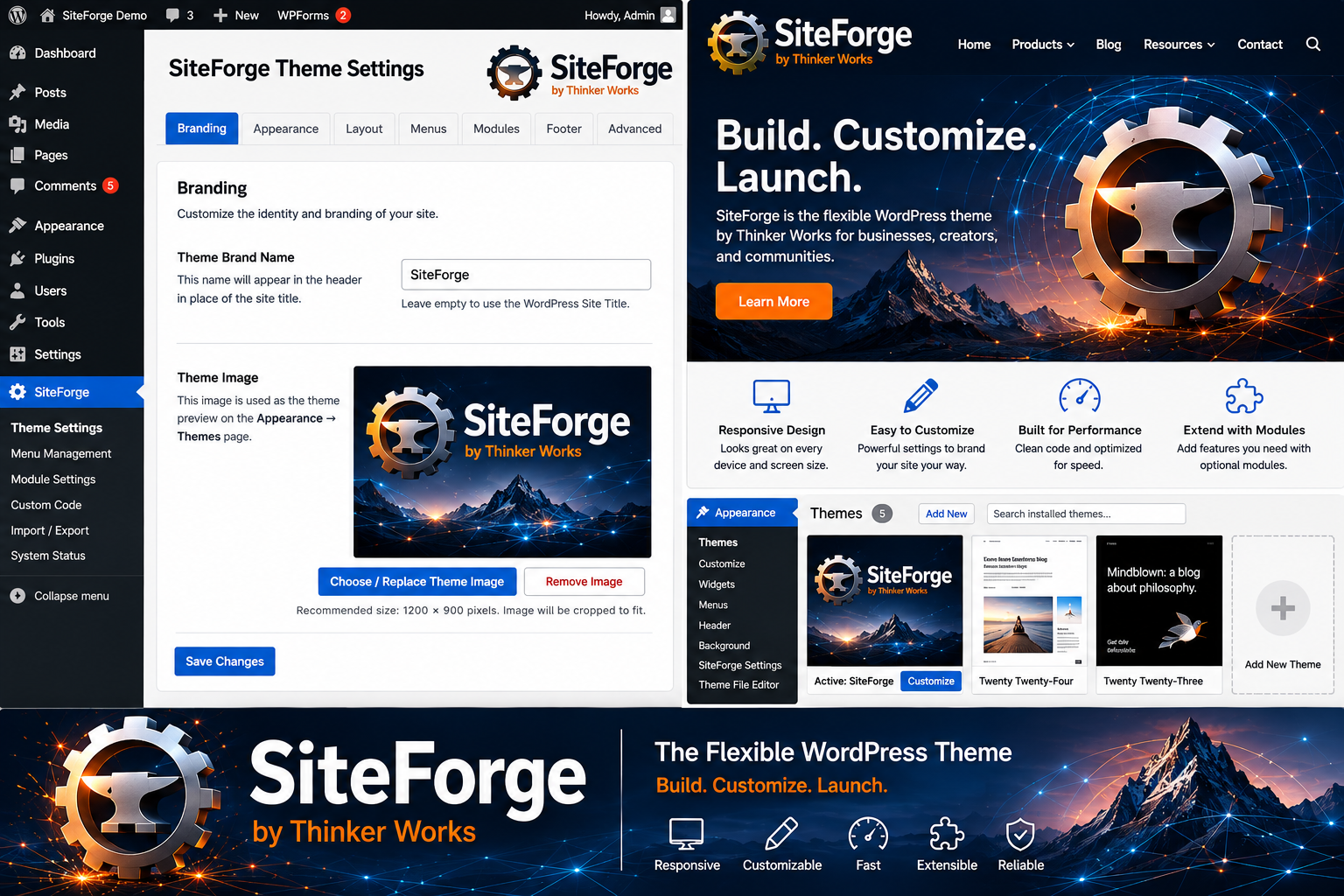
Forge Your Website. Build Your Brand.
A flexible, responsive WordPress theme designed to adapt to your content, your organization, and your brand.
SiteForge gives you the tools to build everything from a simple business website to a large, deeply organized content platform—without forcing your website into a predetermined design.
Build it. Brand it. Expand it.
SiteForge grows with your website.
One Theme. Many Possibilities.
SiteForge was designed as a general-purpose WordPress foundation.
Use it for:
Business Websites • Blogs • Communities • Product Sites • Documentation • Education • Publications • Membership Sites • Knowledge Bases • Custom WordPress Applications
Start with a simple website today and expand its navigation, content, branding, and layout as your needs grow.
Make SiteForge Your Own
Your website should promote your brand, not your theme.
SiteForge provides extensive white-label-friendly branding controls directly inside WordPress.
Customize your:
- Brand name
- Primary logo
- Light-mode logo
- Dark-mode logo
- Login logo
- Brand tagline
- Header branding layout
- Theme colors
- Footer company information
- Copyright notice
- WordPress login branding
- Theme preview image
Choose whether your header displays a name, logo, logo and name, or logo, name and tagline.
SiteForge can even use different logos with light and dark appearances.
Save Complete Brand Presets
Have more than one identity?
SiteForge Brand Presets let you save a complete branding and color configuration and restore it later.
Create different identities for customers, projects, demonstrations, staging environments, or alternate site designs without rebuilding your configuration from scratch.
Your content remains untouched.
Navigation Built for Websites That Grow
Many WordPress themes work well with five menu items.
SiteForge was designed for sites that may eventually have hundreds of destinations.
Create deeply organized navigation using the familiar WordPress drag-and-drop menu editor.
SiteForge supports nested menu structures while providing additional tools for managing them efficiently.
Large Multi-Column Menus
When a submenu contains too many items to fit comfortably in one column, SiteForge can automatically expand it into multiple columns.
Columns are given room for readable menu labels and can expand beyond two columns when necessary.
The result is navigation designed for large product catalogs, documentation libraries, educational resources, communities, and other content-rich websites.
Sort Only What You Want Sorted
SiteForge doesn’t force your entire navigation into alphabetical order.
Its Menu Level Sorting tools let administrators perform an alphanumeric sort on a selected group of sibling menu items while preserving the surrounding hierarchy.
Keep your important navigation exactly where you want it—and organize large submenus with a click.
Flexible Sidebar Manager
Sometimes content needs the entire page.
Sometimes it needs supporting information alongside it.
SiteForge lets you decide.
Sidebars are optional and disabled by default. When enabled, administrators can control where they appear across the site.
Configure sidebar behavior independently for:
Pages • Posts • Blog & Archives • Search Results • Front Page
Each area can Allow, Disallow, or inherit the site default.
Your Sidebar. Your Layout.
Choose:
- Left or right placement
- 20{a172b5cd1bb4975ccb89fe7254d7f9e347120fd281e3135eac4f3d1293c97987}–40{a172b5cd1bb4975ccb89fe7254d7f9e347120fd281e3135eac4f3d1293c97987} sidebar width
- Sticky desktop sidebar
- Primary or Secondary widget area
- Mobile behavior
On mobile devices, a sidebar can be:
Hidden • Above the Content • Below the Content
Override Individual Pages
Need one page to be different?
Individual posts and pages can override the global configuration.
Select:
Use Site Default • No Sidebar • Left Sidebar • Right Sidebar
You can also choose between the Primary and Secondary widget areas.
This makes it possible to create different sidebar experiences for different parts of the same website.
Responsive by Design
SiteForge isn’t a desktop theme with a few mobile adjustments.
Its layout is designed to respond to the available browser space.
SiteForge adapts:
Headers • Navigation • Submenus • Content • Images • Sidebars • Widgets • Forms • Tables • Embedded Media • Code Blocks • Footers
Large desktop menus can take advantage of available screen space, while smaller devices receive a streamlined stacked navigation experience.
Sidebars automatically transition into the administrator’s selected mobile behavior.
One website. Multiple screen sizes.
Light, Dark and Custom Appearance
Choose from:
Normal • Light • Dark • High Contrast Dark • Custom
For complete control, Custom mode provides detailed color configuration for backgrounds, panels, text, links, accents, headers, footers, buttons, borders, forms and other interface elements.
Combine appearance controls with SiteForge’s light and dark logo support to create a consistent identity throughout the site.
Featured Images—Your Choice
SiteForge supports WordPress featured images without forcing them into every layout.
Control featured-image display independently for:
Posts
Pages
Disabling display doesn’t remove the underlying WordPress featured image, allowing other WordPress features and plugins to continue using it.
Brand the WordPress Experience Too
SiteForge branding doesn’t have to stop at the public website.
Enable Login Branding to replace the standard WordPress login logo with your organization’s logo.
This is especially useful for:
Client Websites • Membership Sites • Employee Portals • Community Sites • Managed WordPress Installations
Visitors and authorized users experience a more consistent brand from login through the public website.
Documentation Where You Need It
A powerful theme shouldn’t require hunting through the Internet to understand how it works.
SiteForge includes a comprehensive Documentation Center directly inside WordPress.
Documentation covers:
Installation • Quick Start • Branding • Brand Presets • Appearance • Theme Images • Featured Images • Menus • Menu Sorting • Large Submenus • Sidebars • Widgets • Responsive Design • Administration • Troubleshooting
The documentation stays with the theme, where administrators can find it when they need it.
Built for Today.
Ready for What Comes Next.
A website rarely stays the same.
New products appear. New pages are added. Navigation grows. Branding changes. New sections require different layouts.
SiteForge was designed around that reality.
Instead of replacing your theme every time your website evolves, start with a foundation designed to evolve with it.
SiteForge by Thinker Works
A flexible WordPress foundation for building websites around your brand.
Responsive. Brandable. Expandable. Organized.